Problem 5 Pi calculation
Overview
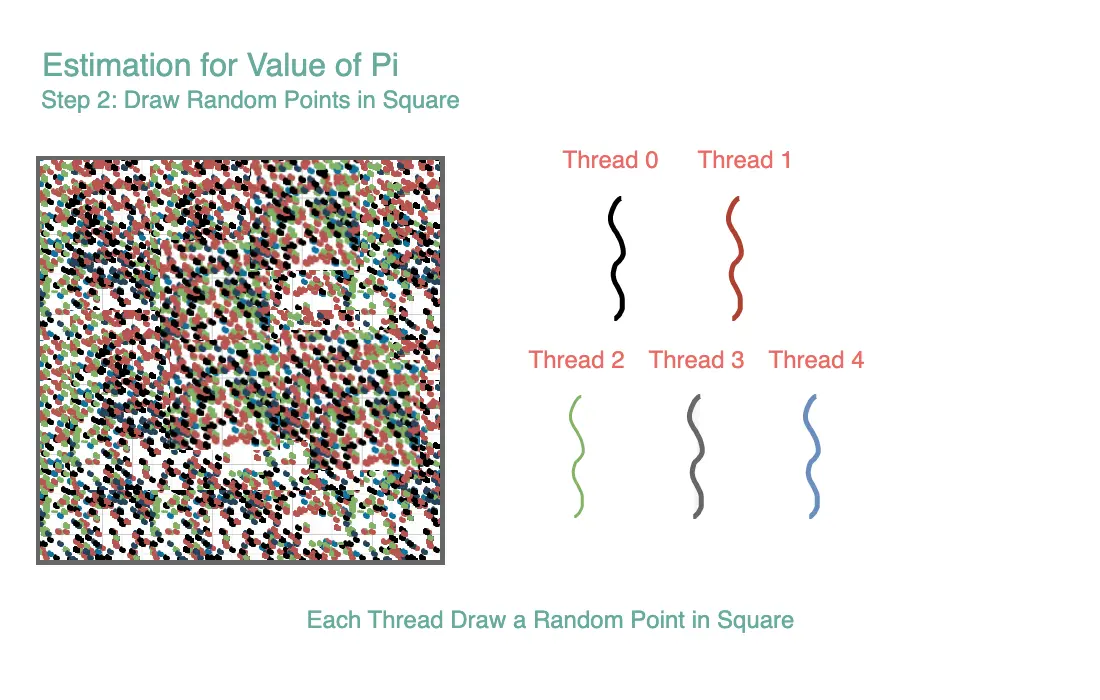
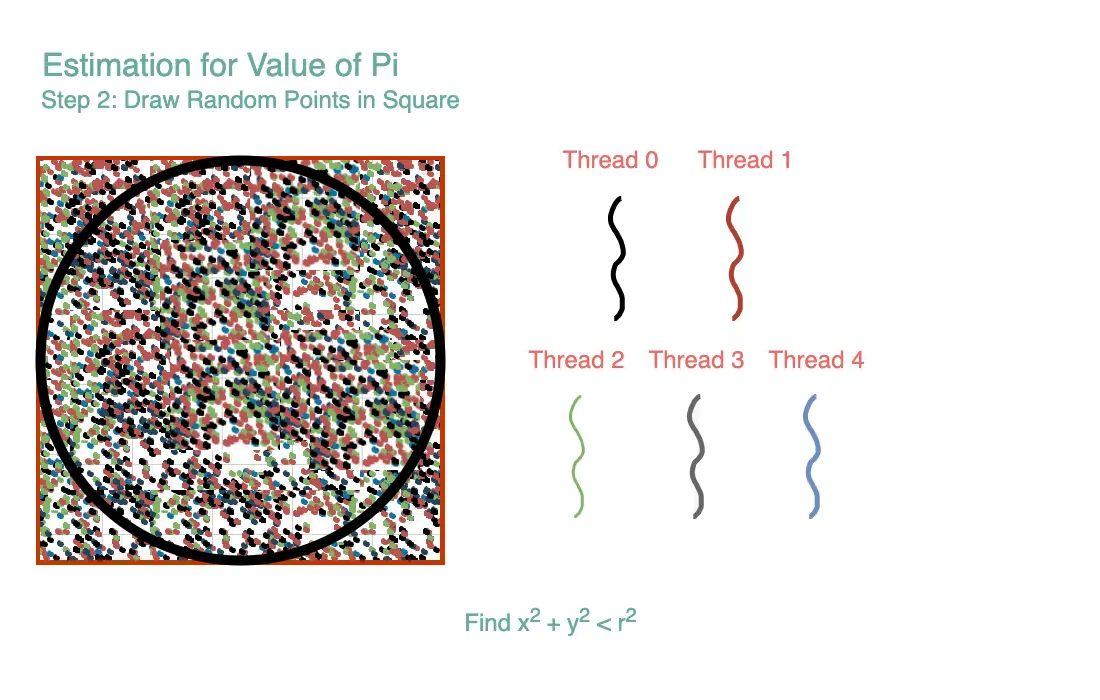
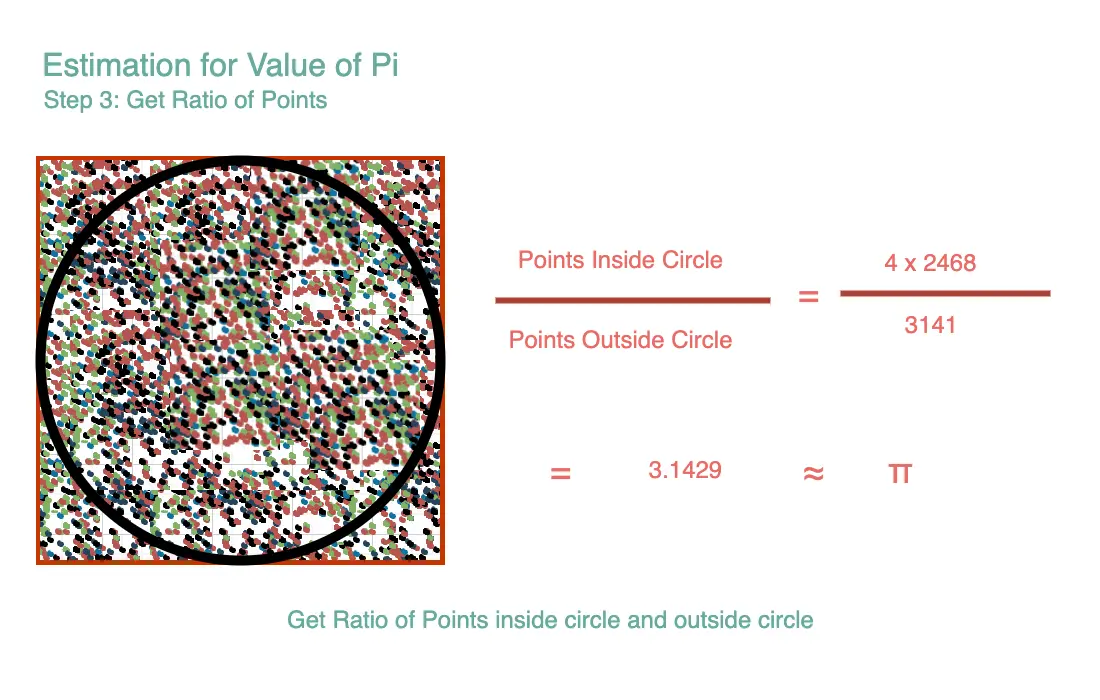
The problem is to estimate the value of Pi using a Monte Carlo simulation method. In this method, we randomly generate points within a square and check how many of these points fall inside a circle inscribed within the square. The ratio of points inside the circle to the total points generated provides an approximation of Pi.
Multithreading Solution
To speed up the Monte Carlo simulation and make efficient use of multiple CPU cores, multithreading is employed. Here's how it works:
- Dividing the Work: The total number of points to be generated (SIZE) is divided into smaller chunks, with each chunk assigned to a different thread. In this case, there are NUM_THREADS threads, so each thread handles SIZE / NUM_THREADS points.
- Independent Simulations: Each thread performs an independent Monte Carlo simulation, generating its set of random points within the square. Since each thread uses a different seed for randomness (based on thread ID and time), the points generated by each thread are distinct.
- Counting Points in the Circle: For each generated point, the thread checks if it falls within the inscribed circle (based on the distance from the origin). If a point is inside the circle, the thread increments its own counter (count_in_circle) to keep track of how many points it generated that landed inside the circle.
- Aggregating Results: After all threads have completed their simulations, the count of points inside the circle (count_in_circle) for each thread is collected and stored in the results array.
- Final Estimation: The results from all threads are summed up to get the total number of points inside the circle (total_inside). This total is used to estimate Pi by multiplying it by 4 and dividing by the total number of generated points (SIZE).
- Output: The estimated value of Pi is printed to the console.
Multithreading allows for the concurrent execution of simulations, significantly speeding up the Monte Carlo estimation of Pi by utilizing the capabilities of multi-core processors. Each thread works independently on a portion of the problem, and their results are combined to obtain the final estimation.
Pseudocode
Define:
    SIZE as the total number of points to generate
    NUM_THREADS as the number of threads to use
    results[NUM_THREADS] as an array to store results from each thread

Function monte_carlo_pi(threadid):
    tid = threadid
    start = tid * (SIZE / NUM_THREADS)
    end = (tid + 1) * (SIZE / NUM_THREADS)
    count_in_circle = 0

    Initialize random number generator with seed based on tid

    For i from start to end:
        Generate random x and y coordinates between -1 and 1
        If (x^2 + y^2) <= 1:
            Increment count_in_circle

    Store count_in_circle in results[tid]

Create an array of threads with size NUM_THREADS

For i from 0 to NUM_THREADS-1:
    Create a thread and assign it the function monte_carlo_pi with thread ID i

For i from 0 to NUM_THREADS-1:
    Wait for thread[i] to finish

total_inside = 0

For i from 0 to NUM_THREADS-1:
    Add results[i] to total_inside

pi_estimate = 4.0 * total_inside / SIZE

Print "Estimated Pi = " + pi_estimate
Algorithm Walkthrough
Let's break down the pseudocode step-by-step using a dry run with small values for clarity:
Suppose:
SIZE= 100 (Total number of points to generate, i.e., 100 points)NUM_THREADS= 2 (Use 2 threads)
Initialization
- We have
SIZEas 100, which represents the total number of random points we'll generate. - We decide to use
NUM_THREADSwhich is 2, implying we're splitting our workload into 2 threads. - We initialize an array
results[2]to store the results from each thread. Let's assumeresults= [0, 0].
Function monte_carlo_pi(threadid)
-
When
threadid= 0:tid= 0start= 0 * (100 / 2) = 0end= (0 + 1) * (100 / 2) = 50count_in_circleis initialized to 0.- A random number generator is initialized based on
tid. - We loop from
i= 0 to 50. For eachi:- Generate a random
xandycoordinate between -1 and 1. - If the point
(x, y)lies within the unit circle (using the condition(x^2 + y^2) <= 1), incrementcount_in_circle.
- Generate a random
- Once the loop completes, the
count_in_circlefor this thread is stored inresults[0].
-
When
threadid= 1:tid= 1start= 1 * (100 / 2) = 50end= (1 + 1) * (100 / 2) = 100- The same steps as the above thread are repeated for this range of values. Finally,
count_in_circlefor this thread is stored inresults[1].
Main Execution
- Create an array of threads of size 2.
- For
ifrom 0 to 1:- A thread is created and assigned the function
monte_carlo_piwith thread IDi.
- A thread is created and assigned the function
- Again, for
ifrom 0 to 1:- We wait for each thread to finish its execution.
total_insideis initialized to 0.- For
ifrom 0 to 1:- The value of
results[i]is added tototal_inside.
- The value of
pi_estimateis calculated as 4.0 *total_inside/ 100.- The estimated value of π is printed.
Example For the sake of simplicity, let's assume:
- Thread 0 generated 40 points inside the unit circle. So,
results[0]= 40. - Thread 1 generated 35 points inside the unit circle. So,
results[1]= 35.
Then, total_inside = 40 + 35 = 75.
The estimate of π would be pi_estimate = 4.0 * 75/100 = 3.0 (This is just an illustrative value and might not represent an accurate estimation of π.)

import java.util.Random;

public class Solution {

  private static final int NUM_THREADS = 4;
  private static final int NUMBER_OF_TOSSES = 1000000;
  private static int[] results = new int[NUM_THREADS];

  public static void main(String[] args) throws InterruptedException {
    Thread[] threads = new Thread[NUM_THREADS];

    for (int i = 0; i < NUM_THREADS; i++) {
      final int threadId = i;
      threads[i] = new Thread(() -> {
        Random rand = new Random();
        int start = (threadId * NUMBER_OF_TOSSES) / NUM_THREADS;
        int end = ((threadId + 1) * NUMBER_OF_TOSSES) / NUM_THREADS;
        int count_in_circle = 0;

        for (int j = start; j < end; j++) {
          double x = rand.nextDouble() * 2 - 1; // Random x in range [-1, 1]
          double y = rand.nextDouble() * 2 - 1; // Random y in range [-1, 1]
          if (x * x + y * y <= 1) { // If point is inside the circle
            count_in_circle++;
          }
        }
        results[threadId] = count_in_circle;
      });
      threads[i].start();
    }

    for (Thread thread : threads) {
      thread.join();
    }

    // Compute final estimate of Pi
    int total_inside = 0;
    for (int result : results) {
      total_inside += result;
    }
    double pi_estimate = (4.0 * total_inside) / NUMBER_OF_TOSSES;
    System.out.println("PI = " + pi_estimate);
  }
}
🤖 Don't fully get this? Learn it with Claude
Stuck on Problem 5 Pi calculation? Open Claude, copy a block below, and it'll teach you this exact concept — visually and interactively.
Progressively stronger hints — you still solve it.
I'm working on the problem **Problem 5 Pi calculation** (Concurrency). Give me a HINT LADDER: start with the tiniest nudge, then wait. Only reveal the next, stronger hint when I ask. Do NOT show the full solution unless I type 'show solution'. Keep me doing the thinking. If you're unsure or a claim isn't standard, say so and reason from first principles instead of guessing.
See the technique, not just code.
Explain the optimal approach to **Problem 5 Pi calculation** with a VISUAL walkthrough: trace it on a small concrete example using ASCII art / a step-by-step diagram, narrate what changes each step, then give time & space complexity with a one-line derivation. If you're unsure or a claim isn't standard, say so and reason from first principles instead of guessing.
Catch bugs, edge cases, sub-optimality.
I'll paste my solution to **Problem 5 Pi calculation**. Review it for correctness, missed edge cases, and time/space complexity, then coach me toward the optimal — don't just rewrite it. Ask me to paste my code now. If you're unsure or a claim isn't standard, say so and reason from first principles instead of guessing.
Lock in recognition with look-alikes.
Give me 2 problems that use the SAME underlying pattern as **Problem 5 Pi calculation**. For each, let me attempt first, then review my answer and name the trigger signal that reveals the pattern. If you're unsure or a claim isn't standard, say so and reason from first principles instead of guessing.