hard What Is the Difference Between Wall‑Clock Time and Monotonic Time, and Why Is Clock Skew
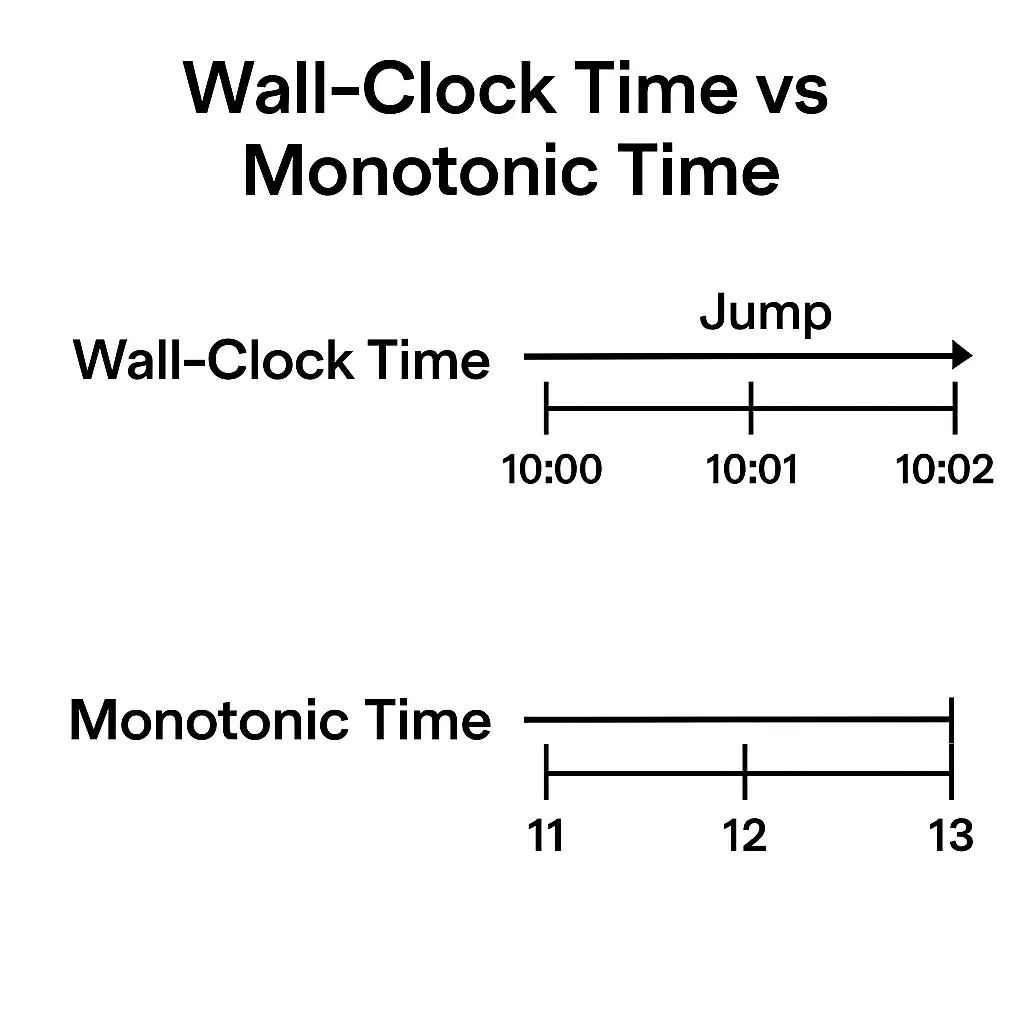
Wall-clock time (system “real time”) is the machine’s current date/time of day, which can jump forward or backward when the clock is adjusted (by NTP sync, daylight savings, manual change, etc.), while monotonic time is a steadily increasing timer (often since boot) that never goes backwards.
Clock skew is the drift or offset between different clocks (for example, on different servers), which is hard to eliminate because each clock runs at a slightly different rate and network sync protocols can’t perfectly align them.
Wall-Clock Time (Real Time)
Wall-clock time (also called system time or real-time clock) represents actual calendar time.
It answers questions like “what time of day is it?” and is used for timestamps, scheduling tasks, and logging.
Because it reflects human time (UTC/local time), it can be adjusted by external events: for instance, a time-sync service (NTP) might set your clock forward a few seconds, or a user could manually change the system time.
Such adjustments mean the wall-clock can jump or even move backwards (e.g. after a backward NTP update).
-
Example: If your laptop sleeps and then resumes, the system clock may jump ahead by the sleep duration, but any timers based on wall-clock will reflect that jump.
-
Consequence: Using wall-clock to measure elapsed time is unreliable in such cases, since the elapsed calculation might become negative or incorrect if the clock was changed mid-measurement.
In practice, wall-clock is great for events tied to real time (e.g. “run this job at 6:00 PM”), but programs must handle the fact that the clock can be reset, adjusted for leap seconds, or synced with internet time.
Learn about Vector Clocks.
Monotonic Time
Monotonic time is a special clock that only measures elapsed time. It typically counts continuously from a fixed point (such as system startup) and always increases at a steady rate.
Because it isn’t linked to the real-world date, it cannot be changed or set by the user or NTP. It will never jump backwards or forward.
This makes it ideal for measuring durations, timeouts, or intervals.
-
Example: To time how long a function takes, you’d use monotonic time for both start and end. Even if the system clock changes during execution, the monotonic clock simply kept ticking, so the elapsed value is correct. In fact, one article advises using monotonic timers in benchmarks to “guarantee that our seconds are moving…forward”.
-
Use case: Monotonic clocks are used under the hood in many programming languages. For example, Linux’s
clock_gettime(CLOCK_MONOTONIC)and Python’stime.monotonic()provide this behavior. Unlike the wall-clock, you can’t interpret monotonic time as a date, it’s just a high-resolution counter.
Key Differences
Unlike wall-clock time, monotonic time is immune to manual or automatic adjustments.
Wall-clock can be synchronized across machines (so 6 PM here means 6 PM there), whereas each machine’s monotonic clock is independent (each starts from its own zero).
Crucially, when measuring elapsed time, monotonic timers guarantee a non-negative interval, while wall-clock measurements might even go negative if the clock is set back.
-
Use monotonic time for measuring durations, timeouts, or intervals (e.g. how long a query took).
-
Use wall-clock time for actual date/time stamps, scheduling, or logging real-world events.
Clock Skew and Synchronization
Clock skew refers to the differences or drift between clocks, typically in a distributed system with multiple machines.
Even if all clocks are initially synced, each hardware clock “ticks” at a slightly different rate, so over time their readings diverge.
The difference in rate is called skew, and the difference in current time is called offset.
For example, imagine two clocks that start in sync.
If one runs just a tiny bit faster, after a while it will show a later time than the other; that growing gap is clock skew.
Why Clock Skew is Hard
Eliminating clock skew is challenging because there is no perfect global clock and physical limitations introduce error.
Some key reasons:
-
Hardware Drift: Every physical clock (crystal oscillator) has slight manufacturing and environmental variations. Temperature changes or aging cause clocks to tick faster or slower. You can’t guarantee two clocks run at the exact same rate. Even a tiny drift accumulates large offsets quickly.
-
Network Delays: Synchronizing clocks (via protocols like NTP) requires exchanging messages. Variability in network latency (jitter) means you never know the exact one-way delay, so any correction has some uncertainty.
-
NTP Limits: NTP can typically sync system clocks to within a few milliseconds on a local network. That’s fine for most purposes, but not adequate if you need microsecond or nanosecond precision (e.g. some financial systems or real-time sensors). Even NTP itself only gradually slews the clock (it won’t suddenly jump it more than 0.05% without causing errors).
-
Resets and Adjustments: As with wall-clock jumps, synchronization can overshoot or be delayed. If a clock is adjusted backwards (for example, an NTP step or leap second), logs and timeouts relying on that clock may behave incorrectly. Some systems avoid stepping the clock backwards (slewing slowly instead) precisely because backward jumps break assumptions.
Because of these factors, complete elimination of skew is impossible.
In distributed systems, this makes tasks like globally ordering events by timestamp difficult.
For example, if Server A’s clock is a second ahead of Server B’s, an event logged at 12:00:01 on A might actually have happened after an event at 12:00:02 on B, causing confusion.
In practice, systems either tolerate some skew (e.g. by including clock uncertainty in algorithms) or use logical clocks (Lamport timestamps, vector clocks) that avoid relying on synchronized physical time.
Summary
Wall-clock (real) time and monotonic time serve different needs.
Use monotonic timers for measuring elapsed time to avoid jump-induced errors.
Clock skew is the inevitable mismatch between clocks. It is hard because every clock drifts and network sync is imperfect.
Understanding the difference and the limits of synchronization helps developers choose the right clock and design robust, time-sensitive code.
🤖 Don't fully get this? Learn it with Claude
Stuck on What Is the Difference Between Wall‑Clock Time and Monotonic Time, and Why Is Clock Skew? Open Claude, copy a block below, and it'll teach you this exact concept — visually and interactively.
Progressively stronger hints — you still solve it.
I'm working on the problem **What Is the Difference Between Wall‑Clock Time and Monotonic Time, and Why Is Clock Skew** (System Design). Give me a HINT LADDER: start with the tiniest nudge, then wait. Only reveal the next, stronger hint when I ask. Do NOT show the full solution unless I type 'show solution'. Keep me doing the thinking. If you're unsure or a claim isn't standard, say so and reason from first principles instead of guessing.
See the technique, not just code.
Explain the optimal approach to **What Is the Difference Between Wall‑Clock Time and Monotonic Time, and Why Is Clock Skew** with a VISUAL walkthrough: trace it on a small concrete example using ASCII art / a step-by-step diagram, narrate what changes each step, then give time & space complexity with a one-line derivation. If you're unsure or a claim isn't standard, say so and reason from first principles instead of guessing.
Catch bugs, edge cases, sub-optimality.
I'll paste my solution to **What Is the Difference Between Wall‑Clock Time and Monotonic Time, and Why Is Clock Skew**. Review it for correctness, missed edge cases, and time/space complexity, then coach me toward the optimal — don't just rewrite it. Ask me to paste my code now. If you're unsure or a claim isn't standard, say so and reason from first principles instead of guessing.
Lock in recognition with look-alikes.
Give me 2 problems that use the SAME underlying pattern as **What Is the Difference Between Wall‑Clock Time and Monotonic Time, and Why Is Clock Skew**. For each, let me attempt first, then review my answer and name the trigger signal that reveals the pattern. If you're unsure or a claim isn't standard, say so and reason from first principles instead of guessing.